To fix stretched PBR textures in Blender, treat stretch as a UV and scale problem, not as a shader problem. Grain that turns into taffy, bricks that become diamonds, and normals that smear like oil are the same bug: pixels are not square on the surface. This is a diagnostic order you can run on any Locker3d material.
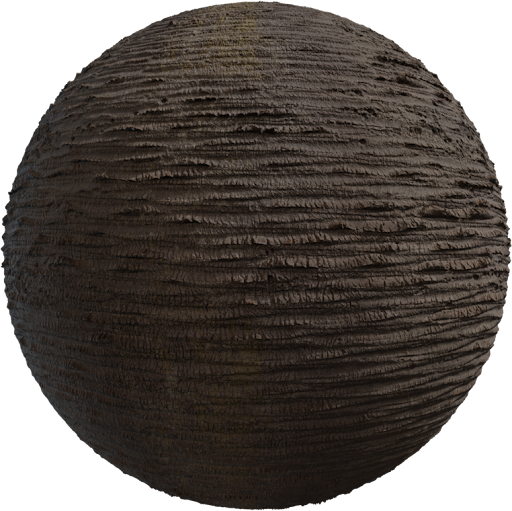
What stretch looks like on PBR maps
A painted diffuse can hide stretch. A PBR set cannot. Albedo grain warps, roughness highlights streak, and the normal smears. If only color looks wrong, you scaled one Image Texture. If every map stretches, UVs or object scale are wrong. Recap: complete PBR textures guide. Load a checker or the Locker3d albedo and orbit before you touch roughness sliders.
Apply scale before you unwrap
In Object Mode, look at Scale in the sidebar. If it is not 1,1,1, the mesh was scaled after modeling. UVs still think the object is the old size, so a tall crate gets a squashed wood tile. Select the object, Ctrl+A → Scale, then unwrap again or correct the existing islands. Applying rotation at the same time avoids a later “why is grain diagonal” surprise. Do this on every object that shares the shot, or texel density will still fight you between the crate and the floor.
UV unwrap fixes that actually work
For boxes and crates, Cube Projection or a manual seam unwrap beats Smart UV Project. Mark seams on real edges: under a lid, inside a rebate, at a plank joint. Unwrap (U → Unwrap) and check the UV Editor with the albedo visible. Squares in the texture should stay squares on the mesh. Average island scale so a small face does not eat half the 0–1 square. Pack with a few pixels of padding so mipmaps do not bleed. Hide seams on back faces. Full unwrap notes: UV unwrapping for PBR textures.
- Object scale 1,1,1 before any UV judgment.
- Checker or albedo in the UV Editor, not a flat grey.
- Average island scale, then pack with padding.
- Shared Mapping on every Image Texture Vector.
Texel density: even pixels per meter
Texel density is pixels per meter. A 4K map on a 2 m wall is 2048 px/m. If a door uses that and a wall uses 256 px/m, one looks like a sticker. Stretch is uneven density on one axis: a rectangular island on a square face. Even the islands, then set a target for hero props. Tiling floors can keep a simple quad; density then comes from Mapping scale, not from a tiny packed island.
Mapping node versus a bad unwrap
Texture Coordinate (UV) → Mapping → every image. Use Mapping Scale for real-world size after UVs are square. Do not “fix” stretch with Scale X 2.4 and Scale Y 0.7 on a crate you will animate; the next texture swap will break. Unwrap if the mesh has no UVs. Triplanar can hide rock seams; it will not save wood grain on a crate. Node wiring: how to apply PBR textures in Blender.
Checklist before you blame the texture
Apply scale. Checker the mesh. Unwrap or cube-project. Average island scale. Share Mapping. Confirm albedo is sRGB and data maps are Non-Color. Then look at the Locker3d wood or concrete under an HDRI. If stretch remains, the island is still the wrong shape—edit UVs, do not invert the normal. Test maps from the catalog are CC0, so you can bake a corrected unique UV later; see CC0 textures: what you can and cannot do. More fixes live on the blog.
Frequently asked questions
Why do PBR textures stretch after I scale a mesh in Object Mode?
Object scale is not 1,1,1, so UVs no longer match world size. Apply Scale (Ctrl+A) in Object Mode, then unwrap or adjust Mapping. Do this before you judge the material.
Is texel density the same as Mapping scale?
No. Texel density is pixels per meter on the mesh (UV island size versus texture resolution). Mapping scale repeats the tile. Fix UVs first, then use Mapping for real-world plank or brick size.
Can I fix stretch with a stronger normal map?
No. A stronger normal only exaggerates the smear. Unwrap, apply scale, and even island scale. Then set Normal Map Strength back to 1.0 and check under an HDRI.