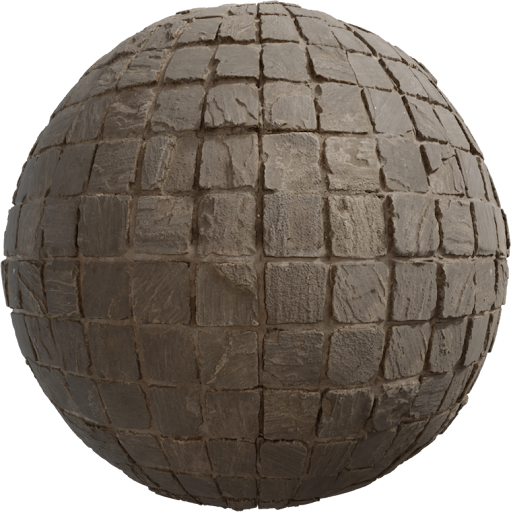
Wrong texture scale is the fastest way to ruin a bathroom. Tiles the size of dinner plates, or grout as wide as a shoe, read as a toy set. This guide covers the Blender Mapping node and Unreal Texture Coordinate so every map stays aligned at a real-world size. Practice with CC0 ceramic and floor sets from the Locker3d catalog.
Scale is a measurement, not a mood slider
Pick a real tile. A common bathroom ceramic is 20×20 cm, 30×60 cm, or 60×60 cm. If the albedo shows a 3×3 grid, that image represents 60 cm, 90 cm, or 180 cm on a side—not “1.0 in Mapping.” Write the real size on the material. Then set UVs so one 0–1 island equals that size, or leave UVs at one meter and use Mapping as a repeat count. Apply object scale in Blender (Ctrl+A) before you judge anything. Map roles are in the complete PBR textures guide.
Blender: Texture Coordinate into Mapping
Add Texture Coordinate → Mapping → every Image Texture Vector. Use the UV socket for unwrapped floors. Shared Mapping keeps albedo, roughness, and normal locked. Raise Scale X and Y together: 2, 2, 1 means two repeats per UV unit. Do not scale only the color node. Object coordinates follow object size in meters once scale is applied. Generated coords stretch with the bounding box—fine for a preview, bad for a tiled bath. Full node graph: how to apply PBR textures in Blender.
Unreal: Texture Coordinate tiling
In Unreal, a Texture Coordinate node feeds UTiling and VTiling into every Sample Texture 2D that belongs to the same material. Match those numbers. A 60 cm tile on a 3 m floor needs about five repeats (300 ÷ 60). Put the tiling in one scalar parameter named Tile and multiply it into U and V. World-aligned materials use a different path; still keep one scale for all maps. Disable sRGB on roughness and normal. Wrap must be Repeat, not Clamp.
Ceramic bathrooms: grout is the truth test
Orbit a low camera across the floor. If grout is as wide as a phone, scale is too large (too few repeats). If tiles look like mosaic chips, scale is too small. Count tiles from wall to vanity and compare to a real plan. Walls and floors must not share one scale if the wall tile is 10×20 and the floor is 60×60. Use a second material or a second Mapping. Pair floor ceramics with other surfaces from the same library so the room keeps one realism level.
Keep data maps on the same transform
A roughness map that tiles at 1.0 while albedo tiles at 3.0 makes shiny patches slide off the grout. One Mapping in Blender or one Texture Coordinate in Unreal into every sample. If you add a detail normal, that extra node can use a higher tile; the base normal must still match albedo. Height or parallax uses the same UV. Tiling seams are a different problem—more notes sit on the blog.
CC0 maps you can rescale freely
Locker3d textures are CC0. You can crop, repeat, and ship them in client baths without credit. Limits (you do not own the scan exclusively) are in CC0 textures: what you can and cannot do. Download a ceramic or stone floor, set 2K first, then swap 4K on the hero camera. When scale looks right in a still, it usually looks right in a walkthrough. Name the material with the real tile size so the next artist does not guess.
Frequently asked questions
Should I change Mapping scale or UV islands to resize a floor?
Either works if every map shares the same transform. Mapping scale is faster for a single plane. Edit UVs when rooms need different repeats or when you must hide a unique stain.
Why do tiles look even in Blender but huge in Unreal?
Unreal Texture Coordinate tiling is a repeat count, not a copy of Blender Mapping values. Convert with real tile size versus mesh size in centimeters, then match U and V on every sample.
Can I rescale Locker3d textures for commercial bathrooms?
Yes. Locker3d maps are CC0. Repeat, crop, and ship them in client interiors without attribution. You still cannot claim exclusive ownership of the original scan.