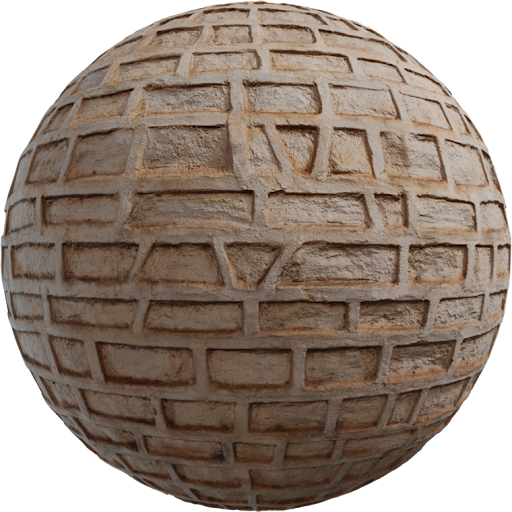
Lumion materials vs PBR maps is not a fight. Lumion ships a large library tuned for its real-time engine. Custom PBR from Locker3d fills the gaps when a sunset exterior needs a specific brick, wood, or plaster. This article shows when to stay in the library and how to import custom textures without turning the house into plastic.
What Lumion materials already do well
Library glass, water, grass, and generic paint are faster than building those from photos. They react to Lumion’s sun, weather, and camera effects. For a massing study or a first client review, a library brick plus library roof is enough. Problems start when the camera sits on a facade at sunset: repeating presets, wrong module size, and a sheen that does not match the region’s real clay or timber. That is when you leave the picker and load maps.
When custom PBR maps win
Import custom textures when the client named a material, when the library tile is the same one in every student exterior, or when you already have a metallic/roughness set from another DCC. Albedo, roughness (or gloss), and normal are the minimum. Metalness stays 0 on masonry and wood. How those maps work is in the complete PBR textures guide. A single holiday photo of a house is not a PBR set: it has baked shadows and a camera white balance that will fight Lumion’s HDR sky.
Import slots and the glossiness trap
Lumion versions differ. Some material types expose glossiness or reflectivity instead of roughness. A Locker3d roughness map is dark where the surface is smooth. If you drop it into a gloss slot, the wet parts go matte and the matte parts go wet. Invert that map only. Leave the normal alone unless lighting looks dented (green channel / OpenGL versus DirectX). Color maps stay in sRGB; data maps stay linear. If you already set the same pack up in Blender, reuse the color-space rules from how to apply PBR textures in Blender.
Sunset exteriors expose scale and sheen
Low sun rakes the facade. Wrong brick module and a too-low roughness read as wet stucco. Set texture size from a real brick or plank, not from “it looked nicer in the viewport.” Count courses between floor levels. Pair custom walls with library glass if the glass already looks right. Keep metal flashings as a separate material with a metallic map, not a gray albedo on a dielectric shader.
Hybrid scene: library plus Locker3d
A practical split: Lumion foliage, sky, and glass; Locker3d masonry, wood cladding, and site pavement from the catalog. Grade albedo slightly so the custom brick does not sit in a different white balance than the library roof. One HDRI or Lumion sky for the whole shot. More exterior notes are on the blog.
CC0 custom textures for billed Lumion jobs
Locker3d files are CC0. You can import them into commercial Lumion stills and animations without credit. You cannot claim the scan as exclusive stock. Details: CC0 textures: what you can and cannot do. Download 2K for distant wings, 4K for the entrance camera. Save a Lumion material with empty slots and a documented size so the next house is a map swap.
Frequently asked questions
Should I invert a roughness map before importing it into Lumion?
If the slot is glossiness or reflectivity, yes: invert the roughness map. If the version exposes a roughness input, leave it as-is. Test a chrome-to-matte sphere before you cover a facade.
When are Lumion library materials better than custom PBR?
Use library glass, water, foliage, and generic paint. Import custom PBR when the client named a brick, wood, or stone that the preset does not match at hero distance.
Can I use Locker3d textures in commercial Lumion stills?
Yes. Locker3d maps are CC0. Import them as custom textures in client exteriors without attribution. Keep a source note for your own records.