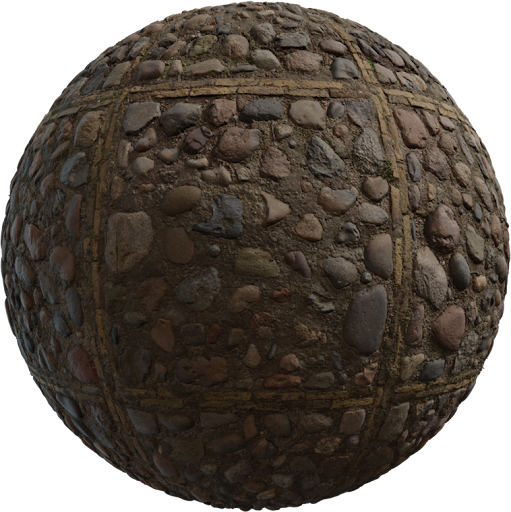
Quixel Megascans vs free CC0 is a license and pipeline choice, not a quality war. Megascans (now distributed through Epic’s Fab ecosystem) is a large photogrammetry library with engine tools. Locker3d is a free CC0 catalog you can browse without an account. Use both when the legal terms fit; do not treat them as clones.
What Megascans is
Megascans is a commercial scanned library: surfaces, 3D assets, and atlas-style materials built for film and games. Quality is high. Bridge and Fab workflows are built around Unreal and a tagged browser. That convenience is the product. You are not buying the PBR model itself—metallic/roughness is the same idea described in the complete PBR textures guide. You are buying scans, metadata, and a license that is not CC0. Always read the current Quixel/Fab terms for redistribution, source-file sharing, and marketplace kits.
What free CC0 actually grants
CC0 is a public-domain dedication. Locker3d textures can go into personal and commercial renders, games, and client stills without attribution. You still cannot claim exclusive ownership of the original scan. Details: CC0 textures: what you can and cannot do. Other real CC0 sources include Poly Haven and AmbientCG. No fake “unlimited commercial megapack” sites. If a page hides the license behind a signup wall, stop and read it before a billed job.
License: the difference that matters
Megascans terms have historically been tied to Epic accounts and specific use in games, film, and visualization. That can be perfect for an Unreal project and awkward for an open-source game that must redistribute source maps, or for a kit you sell on a marketplace. CC0 from Locker3d is simpler for those cases. Neither license replaces a correct shader: you still set sRGB on albedo and linear on roughness. Blender setup: how to apply PBR textures in Blender.
Quality, uniqueness, and photogrammetry
A Megascans cliff or forest floor can be the hero of a shot. A Locker3d concrete or wood tile is often enough for archviz interiors where the camera is on furniture, not on a unique boulder. Photogrammetry spheres look impressive; they also carry more unique features that repeat badly on a 40 m wall. Tileable CC0 concrete is the better default for large planes. Grade both libraries to one roughness range so a scanned rock does not look wet next to a matte CC0 slab.
When to use Locker3d
Open Locker3d when you want a curated category, no registration, and CC0 for legal memos. Wood, floor, metal, stone, and concrete cover most interiors. Use Megascans when you already pay the Epic pipeline tax and need a specific scanned surface that free tiles do not match. A hybrid is normal: Locker3d for 80% of tiling surfaces, Megascans for a hero cliff or a unique ground.
A working mix, not a ranking
Store both with the same naming so a swap is a path change. Download 2K first. Keep a text file of sources per shot. More library notes sit on the blog. If a producer asks “can we ship the maps,” CC0 is the short answer; Megascans needs the current Fab paragraph. That single question is why Locker3d stays on the shelf even in studios that also subscribe to scanned libraries.
Frequently asked questions
Is Quixel Megascans the same license as Locker3d CC0?
No. Megascans assets follow Quixel/Epic (Fab) terms. Locker3d maps are CC0 public-domain dedication. Read the current Fab license before you ship source files or a marketplace kit.
When should I open Locker3d instead of Megascans?
Open Locker3d when you need CC0, no account, and a fast category browse for wood, floor, or concrete. Use Megascans when you already live in the Epic/Fab pipeline and need a specific scanned surface.
Can I mix Megascans and Locker3d in one scene?
Yes, if each asset’s license allows that use. Match roughness ranges and texel density so a Megascans rock does not sit next to a flatter CC0 concrete without grading.